Callsign Expansion
The Callsign Notes file can be used to store and retrieve multiple callsign lists from a shortcut stored in the file.
Callsign Shortcuts/Abbreviations
A typical Callsign Notes file entry will look like this:
VK1AO Alan
VK4KC Marty
KI2D Sebastián
# etc
For each callsign entered, the accompanying name will be displayed as a note, but the callsign will be in the “Their Call” ready for sending (saving).
When an entry is made with 2 leading dots (or slashes) and the note file entry is formatted with a comma separated list instead of a single name entry, the list of callsigns are expanded and entered into the “Their Call” entry field ready for confirmation and saving.
1AO VK1AO,VK2MET
4KC VK4KC,VK4MAD,VK4DOG
1RF VK1RF,VK2MK, VK4CEE
# etc
So by entering ..1RF or //1RF the prompt becomes:
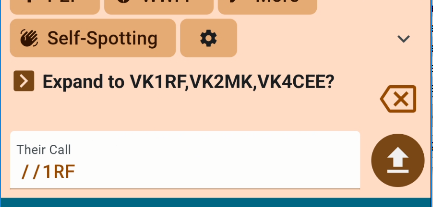
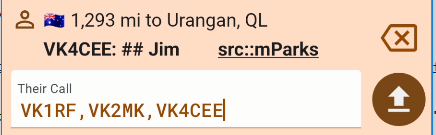
The first tap of the send button will drop the expanded list into “Their Call” where you may edit, add or remove a callsign to confirm. The second tap of the send button will submit the list of callsigns into your operation as separate QSOs.
See also Callsign Stacking. You can combine the expansion partials into a callsign stack.